Pango (פנגו) icon

Pango (פנגו)

Pango Pay and Go Ltd.
Street parking payment · Free

Best for: Israeli drivers who want street parking, car parks, toll roads, fuel and public-transport fares billed together on one monthly invoice

3.4
ParkAppsHub score

4.2
Google Play · 106K
4.6
App Store
1M+
Downloads
1
Country
Middle East & Africa AndroidiOS ~80 local authorities plus 450+ car parks (Israel only)
Pango (פנגו) app screenshot 1 Pango (פנגו) app screenshot 2 Pango (פנגו) app screenshot 3 Pango (פנגו) app screenshot 4

About this app

Pango launched in 2007 as Israel's first cellular parking service and remains the country's default way to pay for on-street parking. The app covers blue-and-white curb zones in effectively every Israeli local authority — Tel Aviv, Jerusalem, Haifa, Beersheba and beyond — with GPS zone detection, timed sessions and end-of-parking reminders. Its Smooooth service uses license-plate cameras to open barriers at more than 450 gated lots, billing automatically on exit. Beyond parking, Pango has become a full mobility wallet: Highway 6 and Carmel Tunnels tolls, fuel payment at the pump, car washes, public transport fares, EV charging locations on its live map, roadside assistance and insurance offers. The app is free to download, but Pango earns from service fees — roughly 40–60 agorot per parking action or a monthly plan of about ₪6–10 — on top of the municipal tariff. With around 3 million users it is deeply embedded in Israeli driving life, though its aggressive upselling of add-on services has drawn regulatory scrutiny. An English interface exists, and tourists can use it, but registration (ID number, local payment details) is clearly built for residents. Its main domestic rival is CellOPark, which competes mostly on fees.

  • Street parking payment in every Israeli municipality with GPS zone detection
  • Smooooth: automatic license-plate entry and billing at 450+ gated parking lots
  • Toll payment for Highway 6 and Carmel Tunnels without separate registration
  • In-app fuel payment (Sonol and partners), car wash and vehicle services
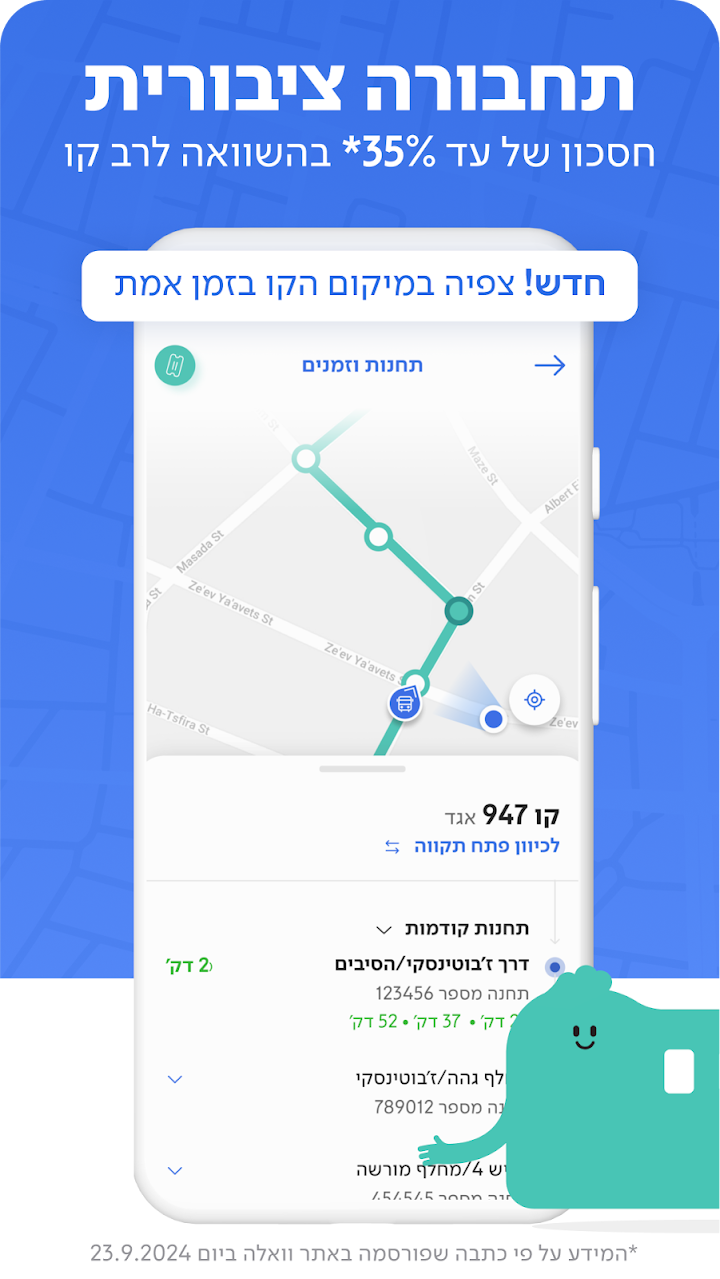
  • Public transport fare payment integrated into the same wallet
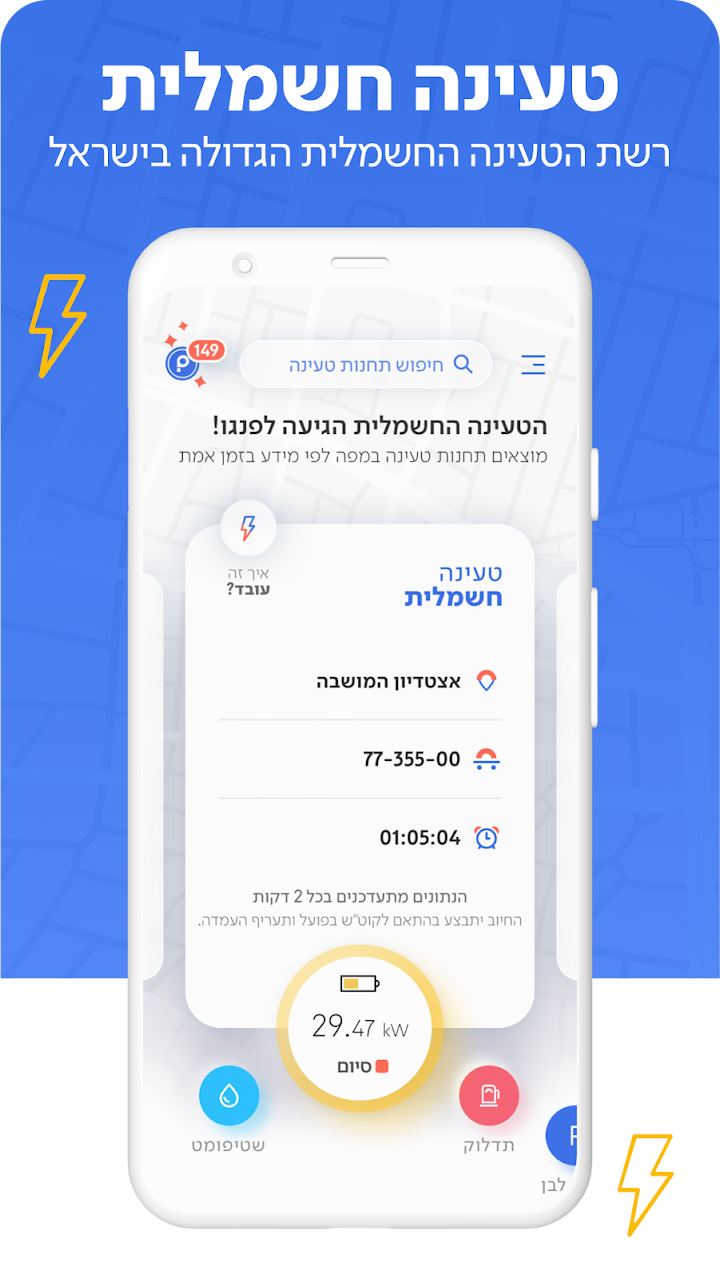
  • Live map showing parking lots, prices, fuel stations and EV charging points
  • Roadside assistance: jump-starts, tire changes and fuel delivery

Pricing & fees

Free · per-parking service fee (~₪0.4–0.6) or monthly plan (~₪6–10)

  • The app and street 'blue-and-white' parking are free to sign up for: you pay each municipality's own hourly tariff, consolidated into a single card charge at the end of the month, with the invoice issued on the 1st of the following month.
  • On the free Basic track Pango adds a ₪1.90 activation fee every time you pay in a car park, refuel at Sonol or charge an EV. Tel Aviv resident-permit holders pay only ₪0.50 per activation in Ahuzot HaHof car parks.
  • Pango Simple: ₪9.90 per month per vehicle. Waives the ₪1.90 activation fees and adds auto-stop, SMS reminders and 'Where's my car'.
  • Pango Smart: ₪14.90 per month for an account with one vehicle, plus ₪14.90 for each additional vehicle. Adds 'The ticket's on us', covering parking fines up to ₪100 caused by an activation mistake.
  • Pango smart&tire: ₪17.90/month (+₪17.90 per extra vehicle) adds unlimited puncture repair with no excess. Pango Family: ₪29.90/month plus ₪9.90 per additional vehicle, up to 3 vehicles, with up to 3 covered parking tickets a year.
  • Pango Cash rebates: ₪1 per public-transport journey, 10 agorot per litre at Sonol, 10 agorot per kWh of EV charging and 10% of a car wash, auto-credited against your street-parking bill once the balance passes ₪20.
Accepted payment methods
VisaMastercardIsracardAmerican ExpressDebit cards (pre-auth hold released in 7-21 business days)Monthly consolidated billing to the card on file

Ratings & scores

3.4
ParkAppsHub editorial score
Google Play 4.2 ★ (106K) App Store 4.6 ★
Ease of use7.2
Coverage6.5
Pricing value5.5
Feature set9.0
Reliability6.0
Editorial score set by the ParkAppsHub team using our five-criteria grid — see how we rate. Store ratings shown for reference.

What users say

▲ Most praised

  • Coverage is the big one: it works in essentially every municipality with paid parking plus hundreds of car parks, so drivers stop carrying coins or hunting for a meter
  • Reviewers like that one account covers parking, car parks, Sonol fuel, toll roads, EV charging, car washes and bus/train fares, all on a single monthly invoice
  • The auto-stop and reminder features are repeatedly credited with saving real money and preventing tickets when people forget to end a session
  • A steady stream of recent Hebrew reviews praises fast, patient phone and WhatsApp agents and says service has improved noticeably compared with a few years ago

▼ Common complaints

  • By far the loudest theme: being signed up to a paid plan by accident because the join button appears over the start-parking control, then struggling to cancel because it cannot be undone inside the app
  • Reliability at the worst moment. Users report slow loads, 'no internet' errors on a good connection, crashes on the EV-charging tab and having to restart the app before they can start or stop parking
  • Android Auto support disappeared after a recent update while CarPlay still works, which a number of 2026 Android reviewers call out specifically, alongside long bot-first waits for customer service
  • Visitors and expats hit a wall: registration requires an Israeli mobile number and ID, no SMS code reaches international numbers, and closing the account after a trip is difficult
Summarised from recent user reviews on Google Play, the App Store and consumer platforms. Themes, not verbatim quotes.

Pros & cons

What we like

  • Near-universal coverage of paid street parking across Israel
  • Smooooth barrier-free entry to hundreds of gated lots is genuinely convenient
  • Far more than parking: tolls, fuel, transit and car services in one app
  • Mature, widely used platform (~3M users) that municipalities fully support
  • English interface available for non-Hebrew speakers

What could improve

  • Service fees on top of parking, and add-on charges users say they never knowingly ordered — practices that triggered an Israeli Consumer Protection Authority investigation
  • Recurring billing complaints: monthly charges continuing for years, even after a car was sold or a tourist left the country
  • Registration effectively requires an Israeli ID and local payment details, making setup painful for visitors
  • Reports of the app failing to open or misbehaving with English settings and foreign phone numbers, leaving sessions running

How to use Pango (פנגו)

  1. Download Pango and register with your phone number, ID number, license plate and a payment card
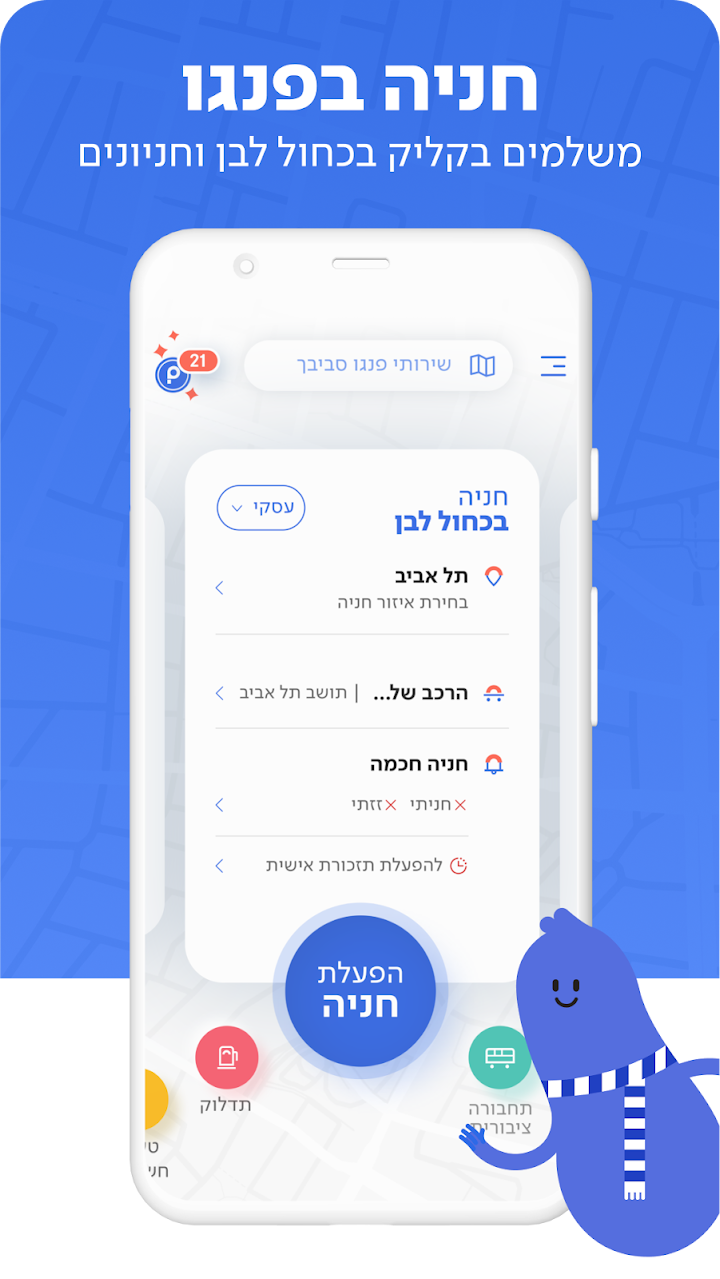
  2. Park in a blue-and-white zone; the app uses GPS to suggest the correct city and zone tariff
  3. Tap to start the parking session, and tap again to stop it when you drive away — you pay only for time used plus Pango's service fee
  4. For gated lots, enable Smooooth so cameras read your plate and the barrier opens with automatic billing
  5. Add tolls, fuel or transit from the services menu to pay them from the same account
  6. Check the monthly statement in the app to review parking charges and any subscribed services

Editor’s tips

  • Do the activation-fee maths before staying on the free Basic track: at ₪1.90 per car park, fuel or EV-charging activation, roughly five paid activations a month already cost more than Pango Simple at ₪9.90/month, which waives those fees entirely.
  • Switch on 'Zazti' (auto-stop). If you drive off without ending a street session, Pango bills you for the maximum permitted duration in that zone (three hours in Tel Aviv), not for the time you actually parked. Note that the uninterrupted-parking/auto-extension option is not offered in Tel Aviv, Haifa or Beer Sheva.
  • The most common billing complaint is accidental enrolment, because the plan sign-up banner pops up right over the start-parking button. If it happens to you, remove the plan yourself from the personal area on pango.co.il instead of queueing on the phone; the contract ends within three business days and part-months are pro-rated.
  • Pango cannot refund a parking fee or cancel a ticket, only the municipality can. Keep the activation record in the app's history and appeal to the local authority. If you activated in a neighbouring city by mistake, Pango's automatic parking correction may re-open the session in the right one, but you are still charged for both.
  • Driving a rental car as a visitor: the account needs an Israeli mobile number to receive the SMS code and an Israeli ID number, and *4500 works as a phone fallback when the app will not load. Close the account by email or on the website before you fly home, or the card on file keeps getting billed.

Editor’s verdict

Pango is the rare parking app that has become national infrastructure: in Israel it is simply how you pay for street parking, and its Smooooth plate-recognition entry to 450-plus gated lots is a feature most Western competitors still lack. The breadth is impressive — tolls, fuel, transit, car washes and roadside help all live in one wallet — and coverage inside Israel is essentially total. The catch is how Pango monetizes. Every parking action carries a service fee unless you take a monthly plan, and the company's enthusiasm for add-on services has produced a steady stream of complaints about charges users never knowingly approved, enough to draw a consumer-protection investigation. Tourists face real friction too: registration is built around Israeli IDs and local cards, and the English experience is noticeably rougher than the Hebrew one. For residents, Pango is close to unavoidable and mostly excellent; the editors' advice is to audit your subscribed services regularly. Visitors may find CellOPark or rental-company arrangements less hassle.

— The ParkAppsHub editorial team · 2026-08-06

How it compares

vs Cellopark

Cellopark is the other nationwide Israeli parking app and is often the one employers issue for company cars and fleet billing. Pick Pango if you are a private driver who also wants fuel, tolls, EV charging and transit fares in the same account; plenty of Israelis keep both installed because a handful of authorities and car parks contract with only one operator.

vs EasyPark

EasyPark is the default across most of Europe but does not cover Israeli blue-and-white parking, and Pango does not roam outside Israel. If you drive in both places you simply need both apps: EasyPark abroad, Pango at home.

vs Moovit

For buses and trains alone, Moovit's Rav-Kav based payment costs nothing extra and is the leaner choice. Pango is worth it when you also drive, since its transit engine is the Moovit partnership anyway (Pango-Moovit) and it puts fares, parking and tolls on one bill with automatic daily/monthly capping.

Frequently asked questions

Does Pango work outside Israel?

No. This app covers Israel only. "Pango Parking" in the United States is a separate app run by a different company (Mobile Smart City Corp.) and does not share accounts with the Israeli service.

How much does Pango actually cost?

The app is free, and you pay the normal municipal parking tariff. Pango adds its own service fee — roughly 40–60 agorot per parking action — or you can take a monthly plan (around ₪6–10 depending on the package) that replaces per-action fees. Extras like Smooooth lot entry carry small additional fees.

Can tourists use Pango?

It is possible but awkward: registration asks for an ID number and local payment details, and users report the app is less stable with English settings and foreign numbers. Many visitors rely on their rental agency's arrangement or a rival app instead, and some have reported stray charges after leaving the country.

What is Smooooth?

Pango's camera-based service for gated parking lots. Cameras read your license plate, the barrier opens without a ticket, and the stay is billed automatically to your Pango account at more than 450 lots across Israel.

Does Pango stop parking automatically when I drive away?

Not by default for street parking — you must end the session yourself, though the app sends reminders and can use location cues. Forgetting to stop a session means paying for unused time, a common user complaint.

I activated parking in Pango and still got a ticket. Who sorts that out?

The municipality, not Pango. Pango's terms are explicit that it has no authority to refund a parking fee or cancel a fine, and that appeals go to the local authority, which can pull your activation record. Two things soften it: the Smart and smart&tire plans include 'The ticket's on us', which covers one parking ticket a year up to ₪100 when the fine resulted from an activation error (Pango Family covers up to three a year), and if you activated in an adjacent municipality by mistake Pango may apply an automatic parking correction, closing the wrong session and opening a correct one, though you pay the full fee in both.

How do I cancel a Pango plan or delete my account entirely?

Five routes: the personal area on pango.co.il, the contact form, the phone line on *4500, email to support@pango.co.il, or registered post. The contract ends within three business days and a partial month is pro-rated. Two catches worth knowing. You cannot cancel only the street-parking service, since asking to leave it is treated as closing the whole account. And once a paid plan is removed the ₪1.90 activation fee comes back on car park, fuel and EV-charging transactions.

Can I charge an electric car with Pango, and what does it cost?

Yes. The app carries a nationwide map of more than 1,000 public charge points, and you start, stop and pay for the session from your phone at the charge point operator's per-kWh tariff. On the free Basic track Pango adds its ₪1.90 activation fee to each charging session; Simple, Smart, smart&tire and Family all waive it. Charging also earns Pango Cash at 10 agorot per kWh, which is credited back against your street-parking bill once you pass ₪20.

Does Pango work for company cars and fleets?

Yes, through Pango for Business, which is a separate account type rather than a setting in the consumer app. It gives a consolidated monthly invoice instead of scattered employee receipts, a dashboard with real-time spend analytics, and organisational policy controls that cap where and when employees may park by hours, days and parking zones. Pango claims up to 30% savings on parking costs, and business accounts can bolt on fleet car washing at Autocar stations plus puncture repair and roadside rescue subscriptions.

About the developer

Pango Pay and Go Ltd. has run Israel's mobile parking payments since 2007, when it began replacing paper parking cards; the iPhone app followed in 2011. Headquartered at 3 Shacham Street, Petah Tikva, the company says it serves more than three million customers. It is jointly owned by Milgam Ltd., a municipal-services contractor that has managed national projects for government ministries and local authorities for about 30 years, and the Israel Infrastructure Fund (Keren Tashtiot), the country's largest infrastructure fund. Pango markets itself as a mobility super-app spanning car parks, toll roads, fuel, EV charging and Moovit-powered public transport.

Additional information

Developer
Pango Pay and Go Ltd.
Founded
2007
Headquarters
Petah Tikva, Israel
Ownership
Jointly owned by Milgam Ltd. and the Israel Infrastructure Fund (Keren Tashtiot)
Category
Street parking payment
Price
Free
Coverage
~80 local authorities plus 450+ car parks (Israel only)
Downloads
1M+
Languages
Hebrew, English, Arabic
Reviewed
2026-08-06

Where it works

~80 local authorities plus 450+ car parks (Israel only) — including Tel Aviv-Yafo, Jerusalem, Haifa, Beer Sheva, Petah Tikva, Ramat Gan, Herzliya, Ra'anana.

Israel
PayByPhone icon PayByPhone 3.8
Blinkay icon Blinkay 3.3
Parkopedia Parking icon Parkopedia Parking 3.3
admyt icon admyt 3.2

Independent review. ParkAppsHub is not affiliated with Pango Pay and Go Ltd.. App name, logo and screenshots belong to their owners and are shown for identification and review purposes. Coverage, prices and features change — verify current conditions with the publisher. Last reviewed 2026-08-06.